
How To Upload And Manage Data And Information On The Open Government Portal – Everything You Need To Know.
This article: explore the Registry operations guide, on how to create your registry account, and how to login to your registry account. To release a record or publication on the Open Government Portal, you will need an Open Government Registry account.
Create your registry account
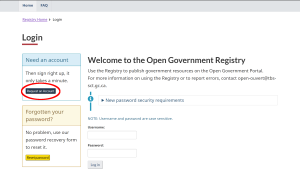
To create an account, go to the Open Government Registry login page and select Request an Account.
Figure 1. Request an account
Complete the form on the Request an Account page, read the terms and conditions, and select I agree to create your account.
Figure 2. Read the terms and conditions

You will receive an email confirming your new account, but you won’t be able to upload or modify records or publications until you receive a second email that confirms that your account has been validated and linked to your organization.
Once your account is validated and linked to your organization, you can log in to upload or modify records or publications.
Login to your registry account
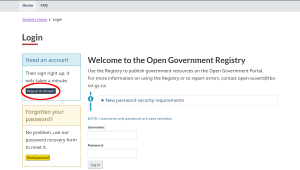
Go to the Open Government Registry login page and log in by entering your username and password.
Figure 3. Registry login page
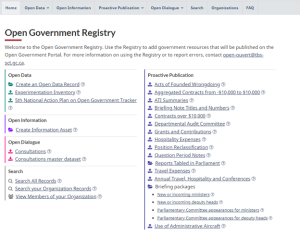
If you have logged in successfully, you will see the Open Government Registry home page.
Figure 4. Registry home page
If you have any trouble logging in, contact the support team at PortalSupport-Soutienportail@tbs-sct.gc.ca.
Once your account is validated and linked to your organization, you can log in to upload or modify records or publications. If you require linking multiple organizations to your account contact the support team at PortalSupport-Soutienportail@tbs-sct.gc.ca.
Always use news9ja tools to research your need and targeting experience.

Leave a Reply